Actions
Bug #1440
open

Scatter Trend Line Chart – Visual and General Issues in Arabic & English UI
Description
Visual
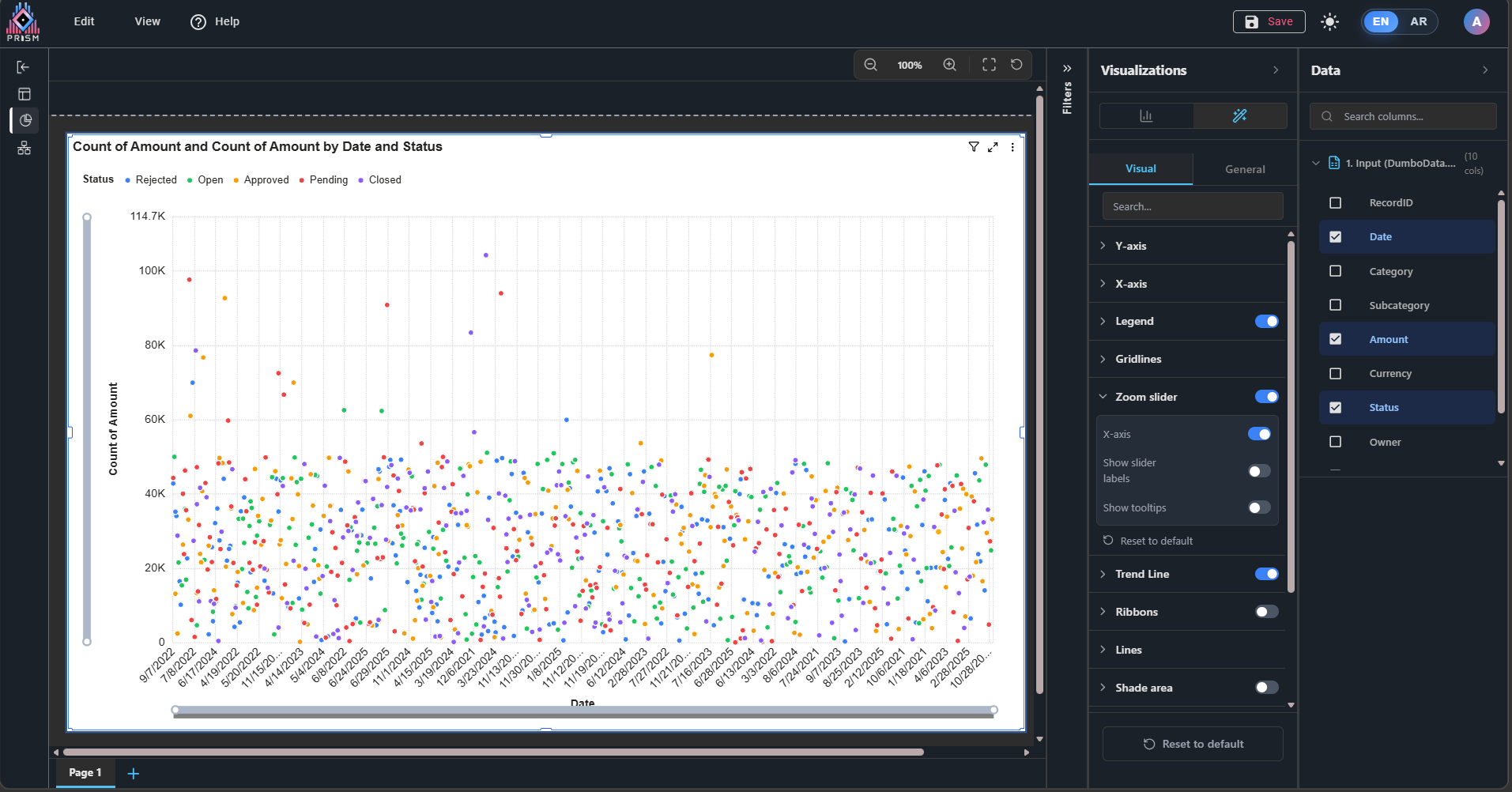
1. When downloading the chart, the user needs to use the zoom slider and adjust the X-axis to view all details, as shown in the images.
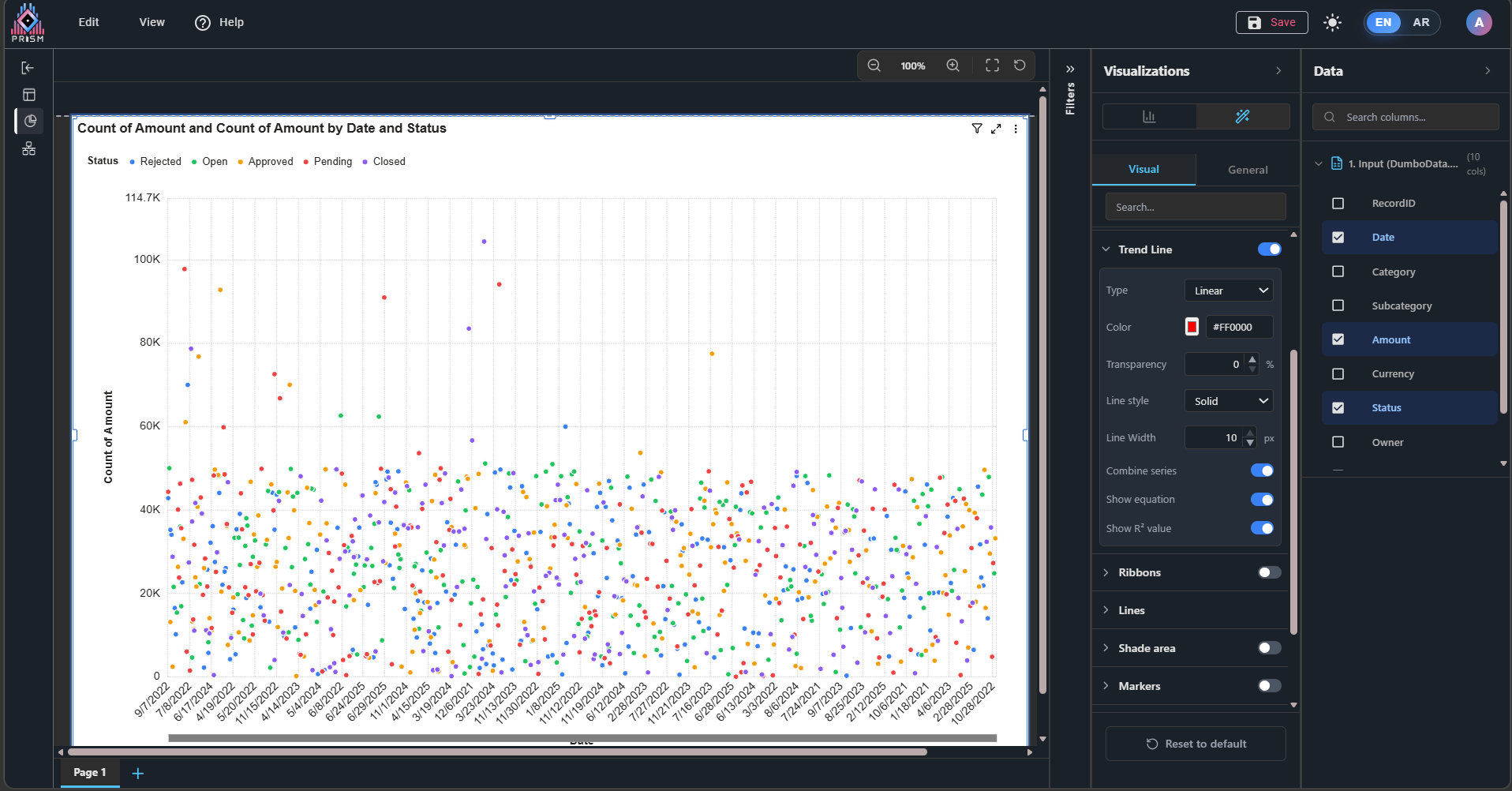
2. In the Trend Line, the properties do not fully work.
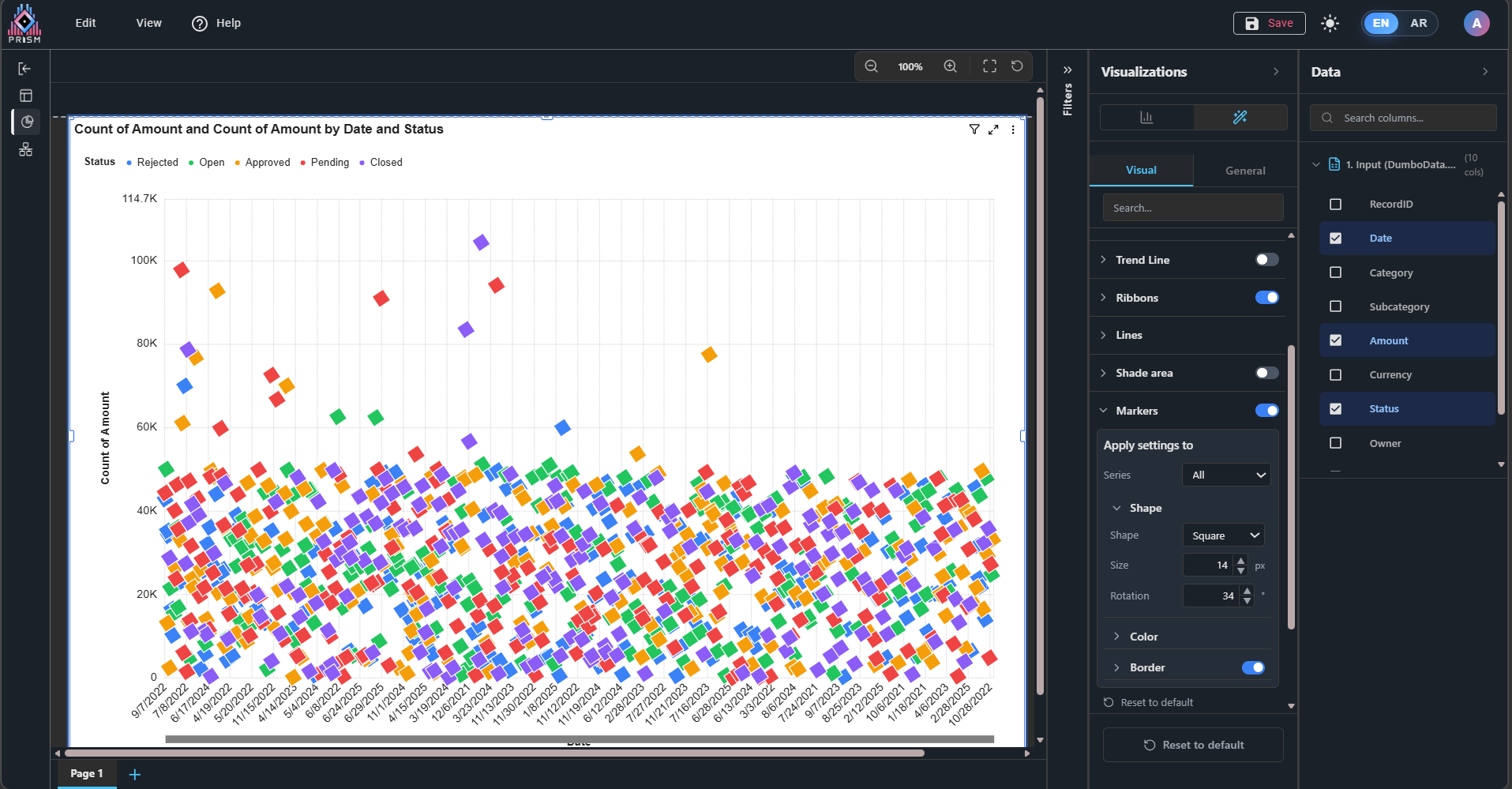
3. In Markers, the rotation option does not work, and the border transparency also does not work.
General
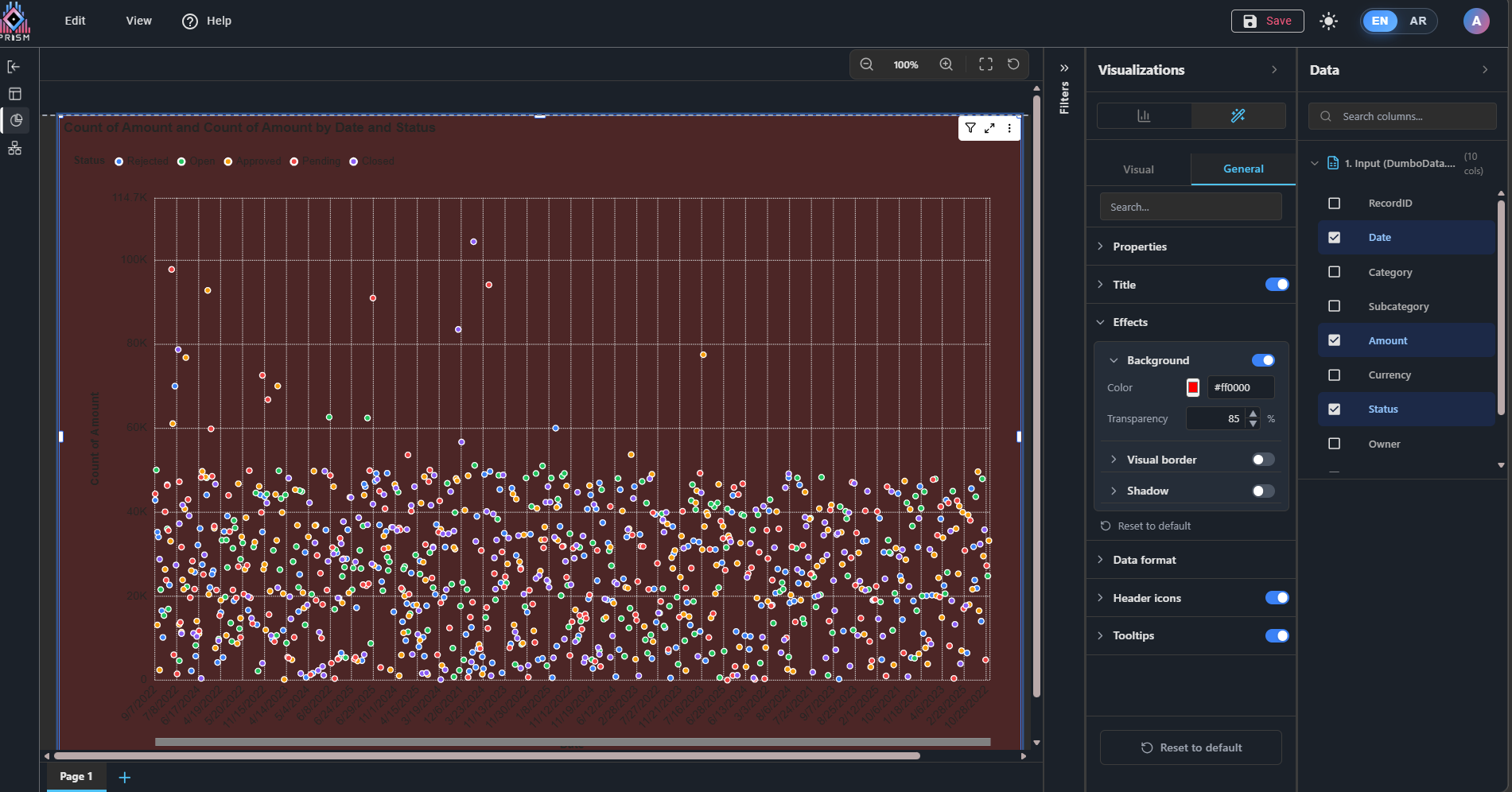
1. In Effects - Background, the transparency option applies background darkening instead of actual transparency as expected.
Files
| 1.png (141 KB) 1.png | Image (1): Demonstrates the issue mentioned in point 1 – Visual section. | ||
| 1-1.png (353 KB) 1-1.png | Image (2): Demonstrates the issue mentioned in point 1 – Visual section. | ||
| 3.png (530 KB) 3.png | Image (4): Demonstrates the issue mentioned in point 3 – Visual section. | ||
| 2.png (351 KB) 2.png | Image (3): Demonstrates the issue mentioned in point 2 – Visual section. | ||
| 4.png (401 KB) 4.png | Image (5): Demonstrates the issue mentioned in point 1 – General section |
 Updated by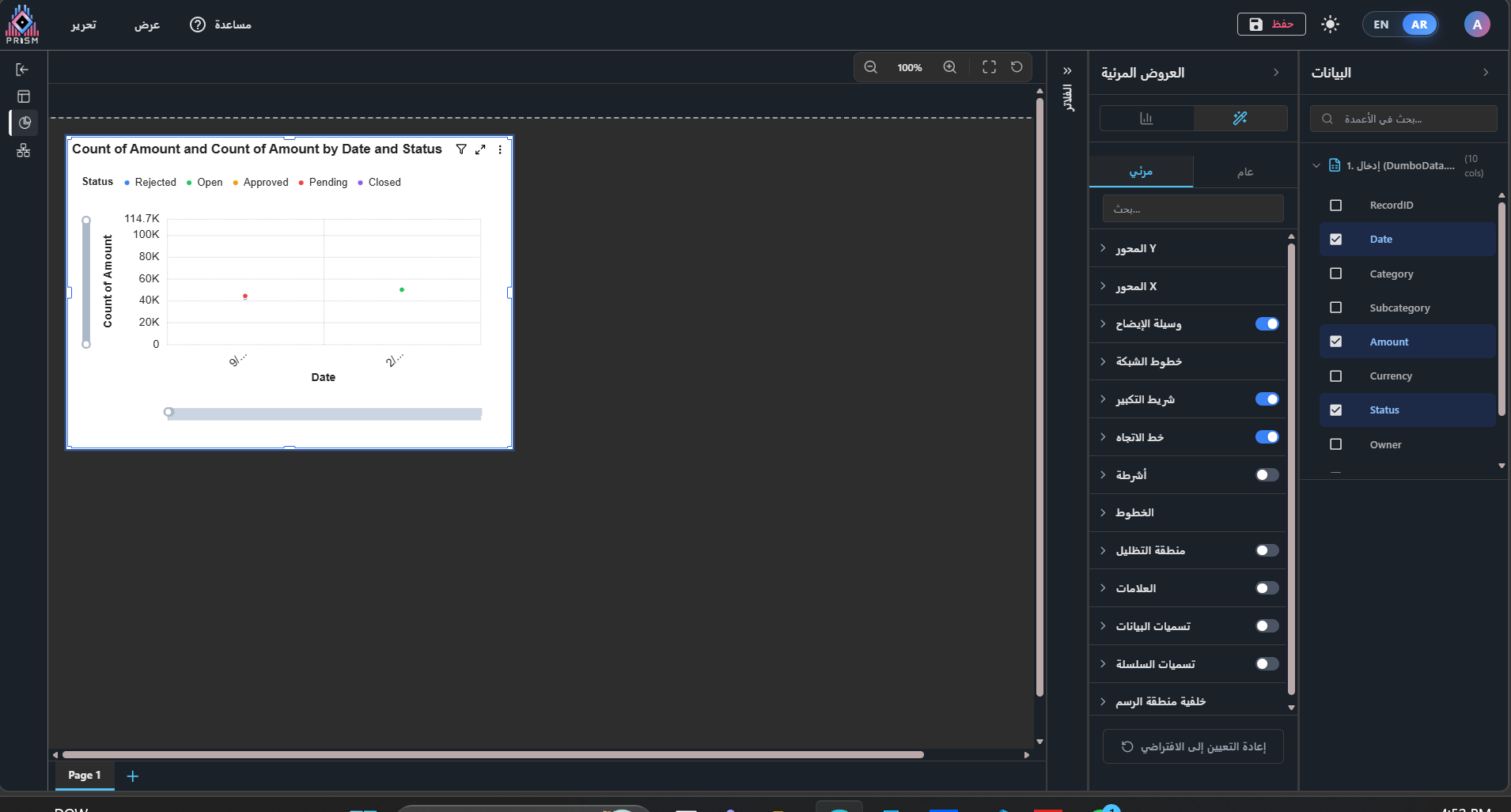
Actions