Resolved Bar/Column Chart Formatting Issues in Arabic and English Interfaces
Visual Section:
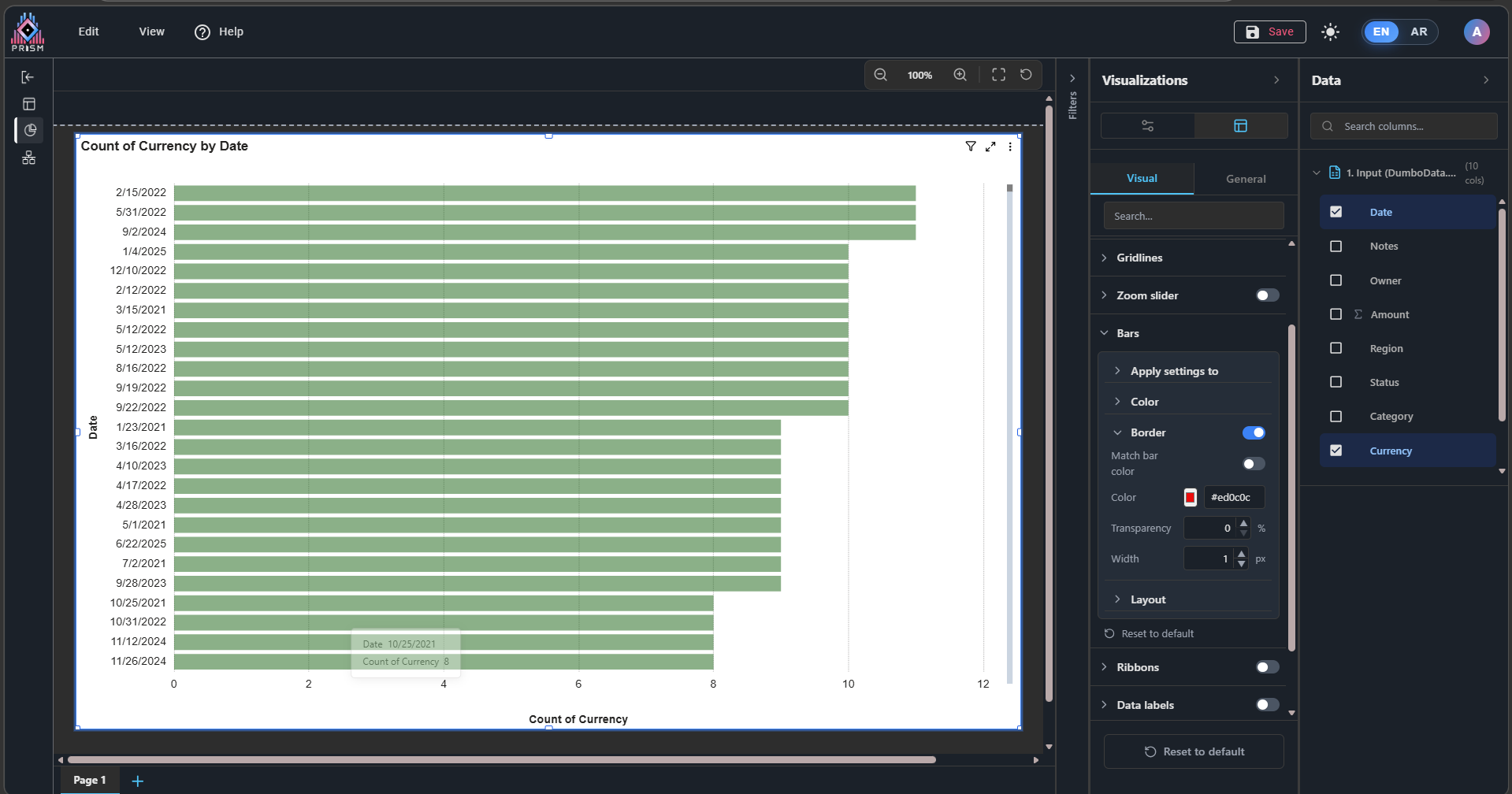
1- In the Bars, the Border property does not function when enabled.
Fixed: Bar and Column Chart Border Styling Issue
We've resolved an issue where borders configured on bar and column charts were not displaying consistently.
Problem: When users applied border styling to their bar or column charts through the formatting panel, the borders would sometimes not appear on the chart visualizations.
Solution: Border styling now works reliably across all bar and column chart types. Users can apply borders with custom colors, widths, and transparency, and they will display as expected.
Charts Fixed:
- Horizontal Bar Charts
- Stacked Bar Charts
- Clustered Bar Charts
- Stacked Column Charts
- Clustered Column Charts
- 100% Stacked Bar Charts
- 100% Stacked Column Charts
- Line and Column Combo Charts
General Section:
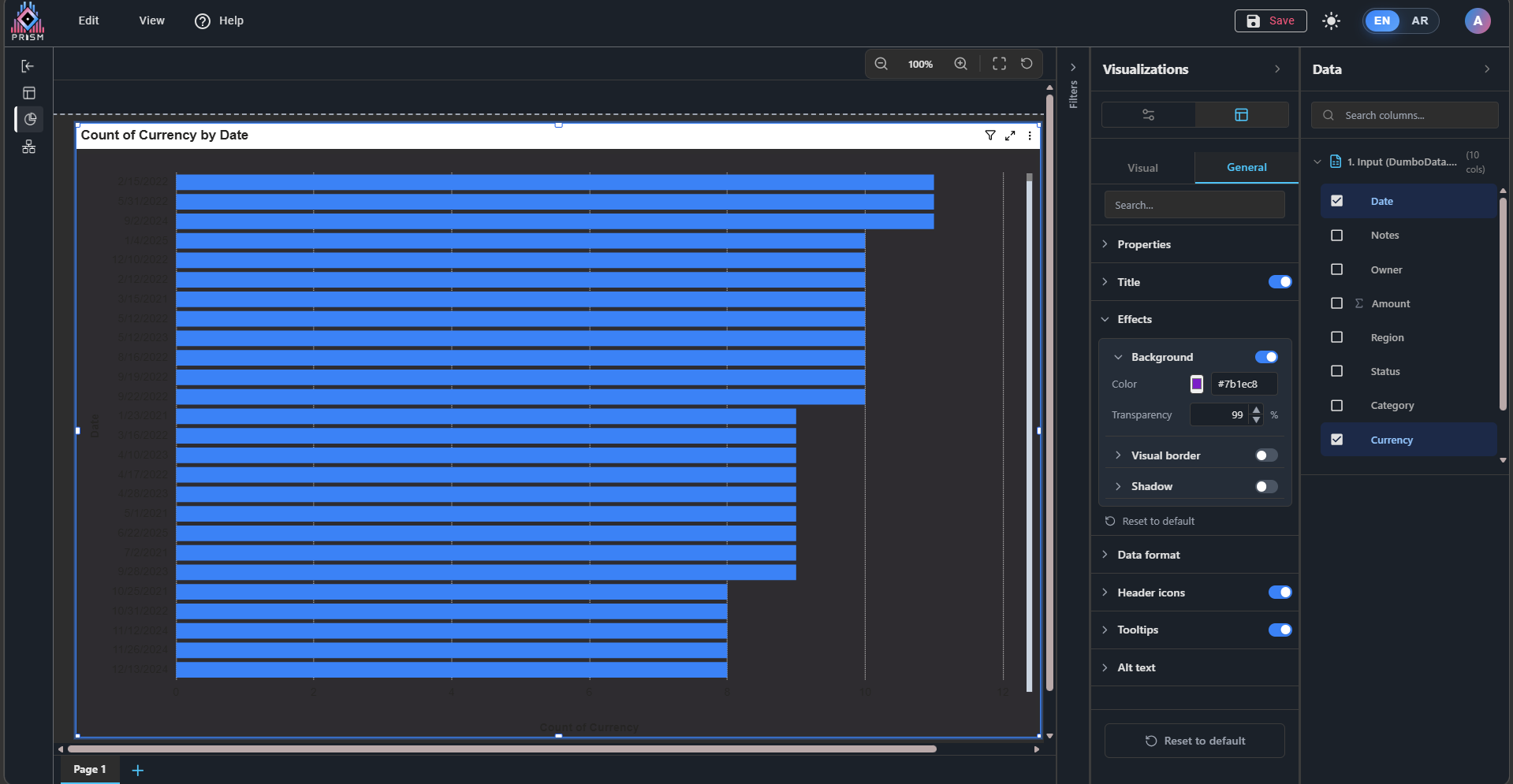
1- In Effects, when applying Background Transparency, the transparency does not work as expected. Instead of making the background transparent, the color becomes darker.
that issue also has been resolved now it should be work same as power bi does without any issue.


 Updated by
  Updated by