Actions
Bug #1636
open

Issues in State dropdown on Address screen (incorrect heading, auto-focus, and UI mismatch)
Start date:
04/14/2026
Due date:
% Done:
0%
Estimated time:
Description
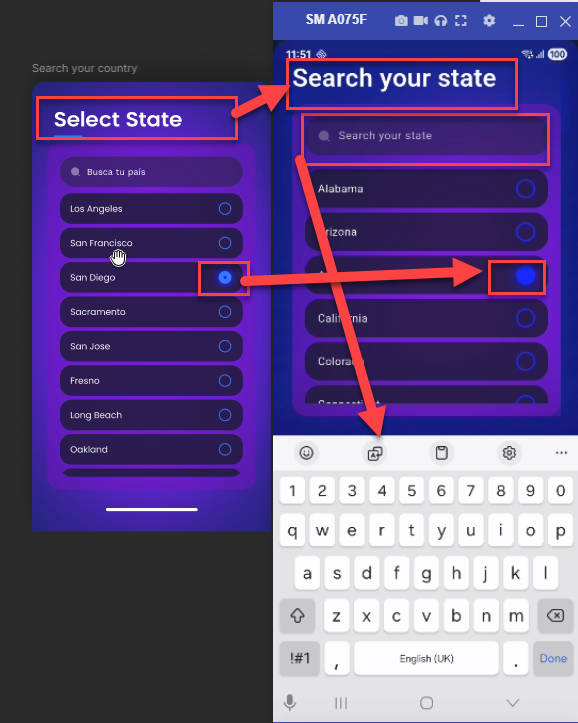
On the Address screen, the State dropdown has multiple issues:
- The dropdown heading is incorrect
- The search field is auto-focused, causing the mobile keyboard to open automatically
- The selected value UI does not match Figma design
Steps to Reproduce
- Open Address screen
- Tap on State dropdown
- Observe heading and search field behavior
- Select any value from dropdown
Actual Result
- Incorrect heading displayed
- Search field is auto-focused and keyboard opens automatically
- Selected value UI is not as per Figma
Expected Result
- Correct heading should be displayed
- Search field should not be auto-focused
- Keyboard should open only on manual interaction
- Selected value UI should match Figma design
Files
No data to display
Actions