Actions
Bug #1502
open

Clear (Cross) Icon Incorrectly Displayed in Name and Email Fields on Create Account Screen
Start date:
04/09/2026
Due date:
% Done:
0%
Estimated time:
Description
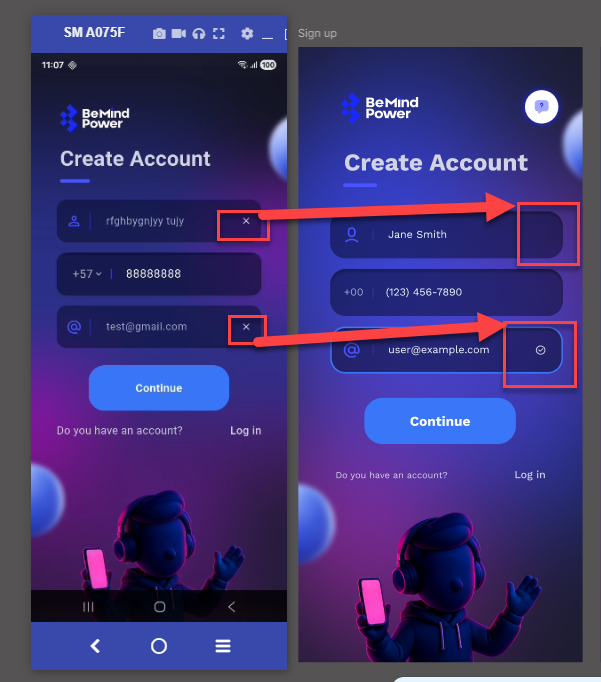
On the Create Account screen, a clear (cross) icon is displayed inside the Name and Email input fields. According to the design (Figma), these fields should not contain a clear icon. This results in a mismatch between the implemented UI and the approved design.
Steps to Reproduce
- Navigate to the Create Account screen
- Enter text in the Name field
- Enter text in the Email field
- Observe the right side of both input fields
Actual Result
- A clear (cross) icon is visible in both Name and Email fields
Expected Result
- No clear (cross) icon should be displayed in:
- Name field
- Email field
- UI should match the Figma design
Files
No data to display
Actions