Actions
Bug #1214
open

Visualization - Table View
Description
Remove the top bar of the table view, as it is not functional and confuses the user.
Files
 Updated by ALi RAZA about 1 month ago
- File clipboard-202603111254-nl0ei.png clipboard-202603111254-nl0ei.png added
- Status changed from New to Resolved
- % Done changed from 0 to 100
Table View Cleanup
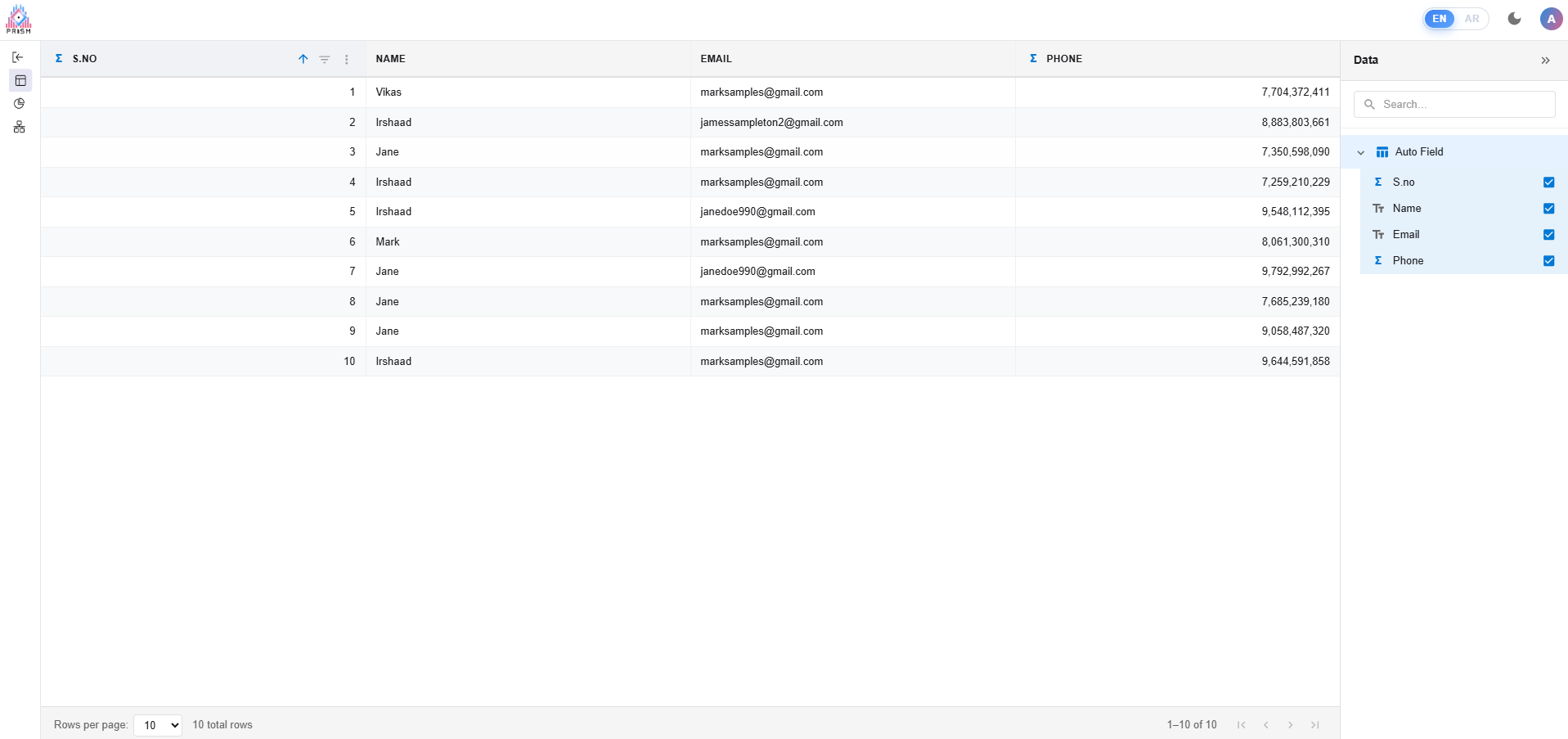
We've made some visual changes to the Table View page to simplify the interface and focus on the core data experience:
- Removed the Toolbar Ribbon – The top toolbar that contained tabs (Home, Table Tools, Column Tools, View, Help) along with all ribbon buttons like Paste, Cut, Copy, Refresh, Export, New Measure, New Column, etc., has been temporarily hidden. These features are not needed at this stage and were adding unnecessary complexity to the page.
- Removed the Formula Bar – The formula editing bar (with the "Select a column to edit formula" input) that appeared below the toolbar has been hidden. This was related to DAX expression editing, which is not required for the current workflow.
- Removed Row Selection Checkboxes – The checkboxes that appeared on the left side of every row (including the "select all" checkbox in the header) have been hidden. These were enabling row selection functionality that is not currently in use.
What remains visible:
- The data table grid with all columns, rows, and pagination controls (rows per page, page navigation, total row count)
- The Data sidebar panel on the right side, showing Input Data fields and Auto Fields with their visibility toggles
Updated by ALi RAZA about 1 month ago
- Status changed from Resolved to Ready For QA
 Updated by Maryam Farooq 20 days ago
- Assignee changed from ALi RAZA to Maryam Farooq
 Updated by Fareena Anayat 20 days ago
- Status changed from Ready For QA to Waiting for Regression
Actions